
Datavloot consists of two parts: the Python package datavloot on PyPI, which installs and starts the Optimist, and the dbt package optimist, which supplies the building blocks for your data model. From 0.1.2 onwards the version numbers run in step. Here is what is new.
01The Python package on PyPI
The Crows Nest can now run on a shared machine. Until now the Crows Nest only ran on your own laptop. From 0.1.2 you can put it on a server and protect it with a token, so colleagues can view and query the same data. Nothing changes on your laptop: no password needed there.
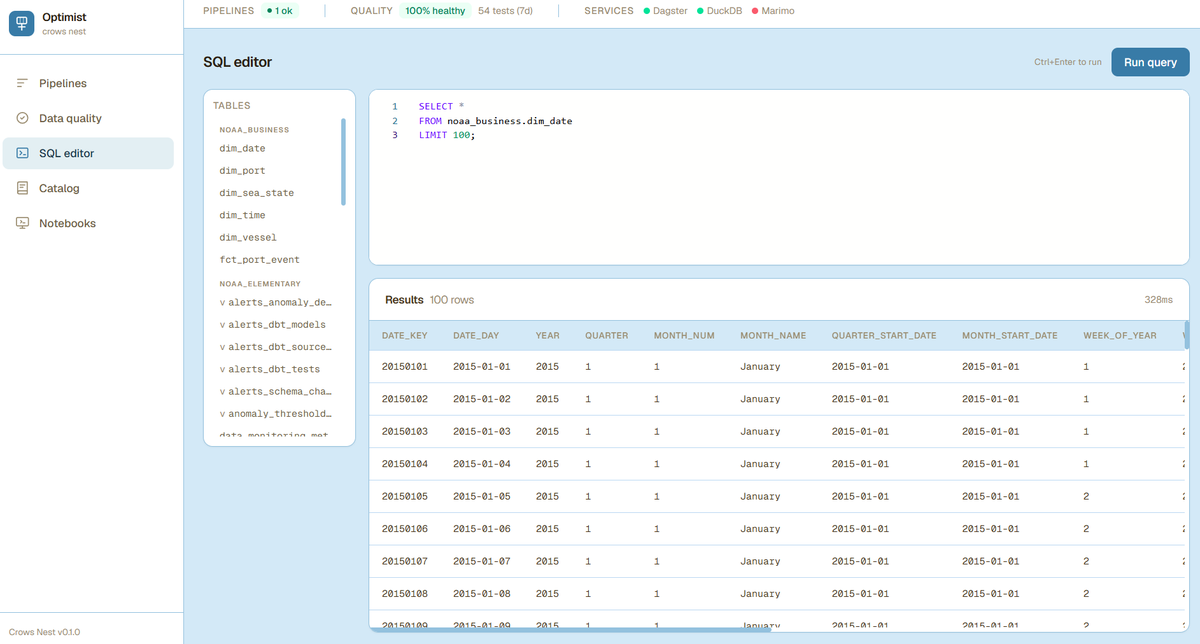
The SQL editor has been improved. Queries with comments, CTEs or a trailing semicolon now simply work, and the results have a scrollbar so wide tables stay readable. The editor remains strictly read-only: transformations belong in dbt.
Steadier under the bonnet. This is the first release with CI and a test suite, and we have firmed up our dependencies. datavloot start now waits until Dagster is genuinely ready, and shows the error if start-up fails.
Updating takes one command. It refreshes the package and every part of the Optimist in one go:
pip install --upgrade "datavloot[optimist]"
02The optimist dbt package
Its own releases. The dbt package now has tagged versions. New projects point to 0.1.x in packages.yml, so you pick up patches automatically. We are working on publishing the package to dbt Hub, the central place for dbt packages. You will then be able to give a version range, just as with dbt_utils.
A date and time dimension in one line. dim_date and dim_time now live as models in your own project, so you see them in your documentation and can adjust them. You set the date range yourself, and dim_time can work at minute or second level, depending on how fine-grained your data is:
-- models/business/dimensions/dim_time.sql
{{ optimist.build_dim_time(grain='second') }}
Datasets as a third model type. Alongside dimensions and facts you can now build a wide table with optimist.build_dataset(): one table with all the columns you need, ready for a dashboard or a notebook, without setting up a star schema first.
Keys have the same name in fact and dimension. Surrogate keys are now called vessel_key, port_key, date_key — exactly the same in the fact table and in the dimension. BI tools and AI assistants therefore recognise immediately what to join on. If you have an existing project on the old names (dim_vessel_key), rename them when you upgrade.
Your data sticks around. A new project writes to a DuckDB file in your project folder by default, rather than to memory. After a dbt run you can therefore look at your tables straight away in the Crows Nest or a notebook, without converting anything first.
03Moved to GitHub
The source code now lives at github.com/datavloot/datavloot-toolkit. GitHub is more approachable than GitLab for most people, and we hope it connects us better to the community. If you have an existing project, check the git URL in your packages.yml.
If you run into anything, open an issue on GitHub. We would like to hear how you get on.
Until the next bottle.
The crew
Links
datavloot 0.1.2 on PyPISource code, dbt package and issues on GitHub
The roadmap: what comes after the Optimist
Never miss a release
Leave your email address and we will let you know as soon as a new episode washes ashore.
Send a message in a bottle →